
Product walkthrough
See a clinic day in SmileFlow.
Follow a visit from check-in to charting and billing. Bring a routine your team handles every day and ask to see how it works.
Book a SmileFlow demoWebsite design, app development and custom business software.
Dental practice management
Bring scheduling, dental charts and billing together with SmileFlow, or work with Nivarix on a custom build for your clinic.
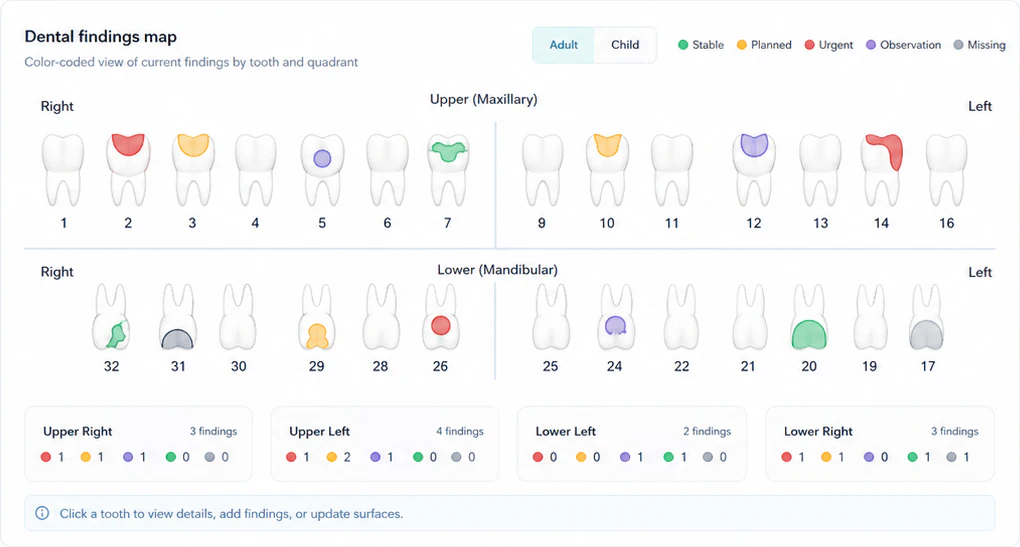
Product walkthrough
Follow a visit from check-in to charting and billing. Bring a routine your team handles every day and ask to see how it works.
Book a SmileFlow demoPlans and pricing
Compare the features and locations included in each SmileFlow plan, from managing one practice to coordinating several branches.
View plans and pricingCustom development
Tell Nivarix where your team still moves information by hand. We’ll review the tools involved and scope the first workflow to connect.
Discuss a custom buildInside SmileFlow
Choose a workflow to see the decisions your team can make with a shared view of the practice.
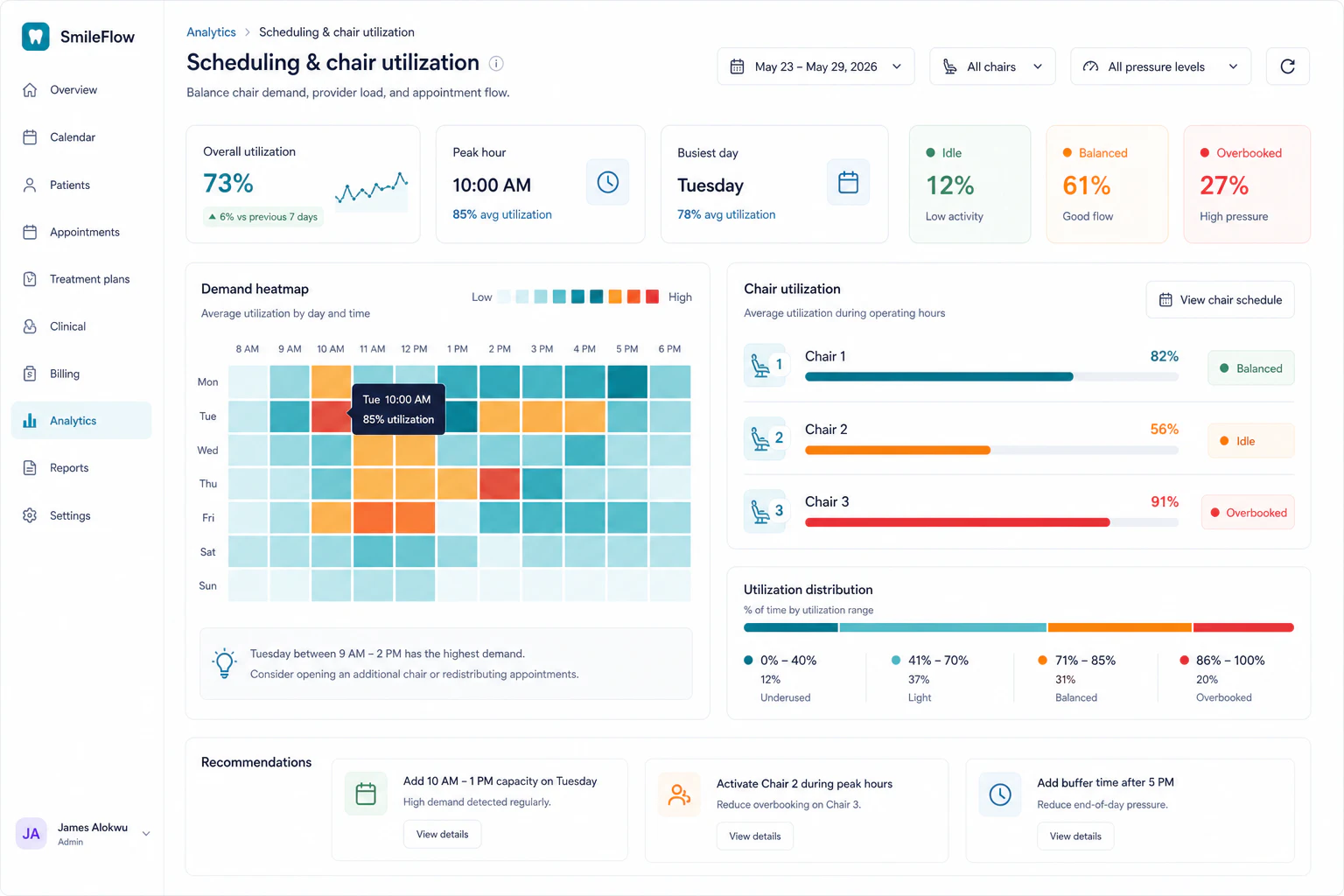
The heatmap shows when demand peaks. Compare it with the load on each chair before offering a patient a time or opening another chair.
 View full screen
Explore the areas that matter to your team.
Treatment and billing
Treatment coordination
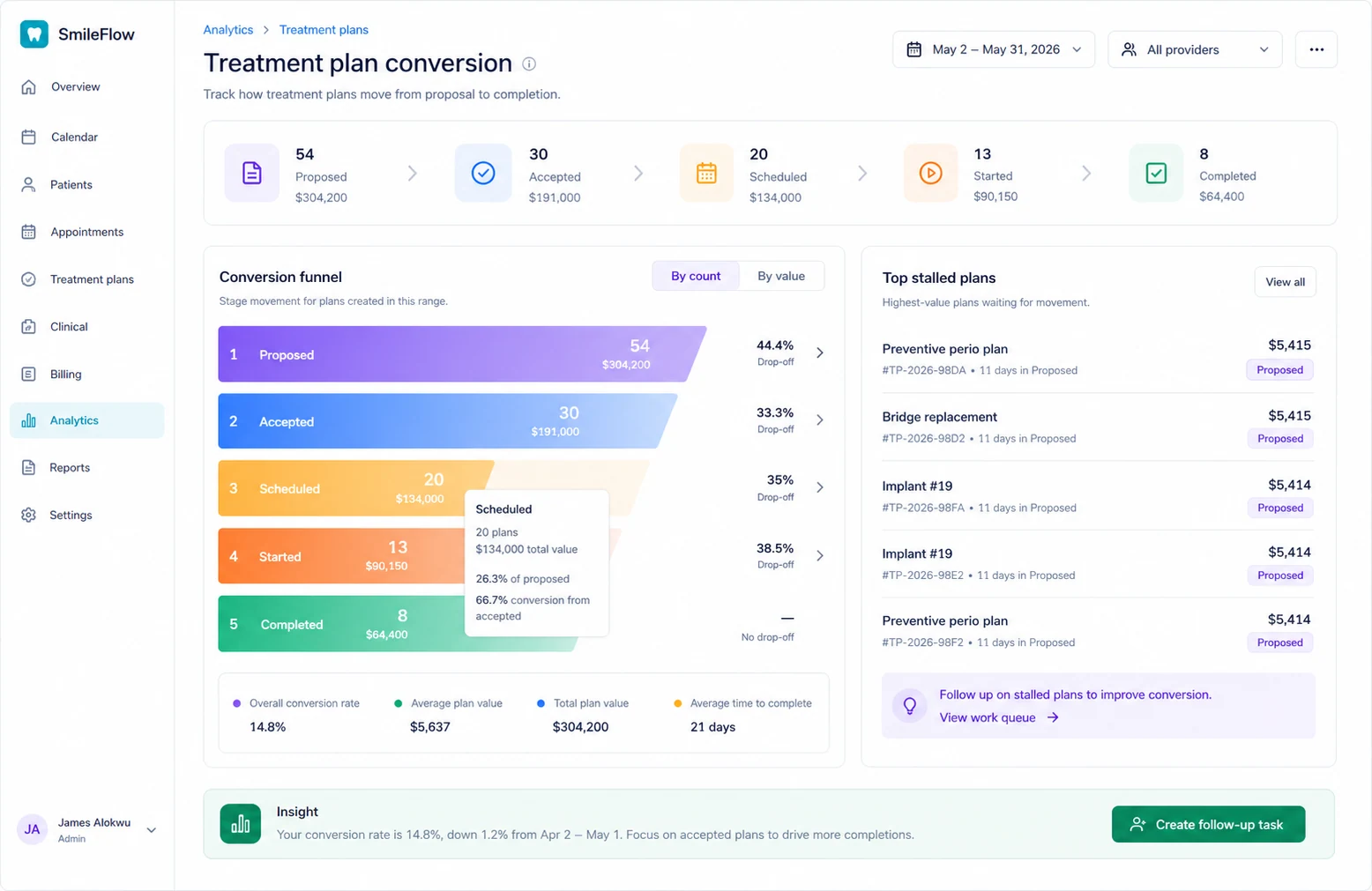
Follow proposed care through acceptance, scheduling and completion. The stalled-plan list gives your coordinator a starting point for patient follow-up.
Billing and collections
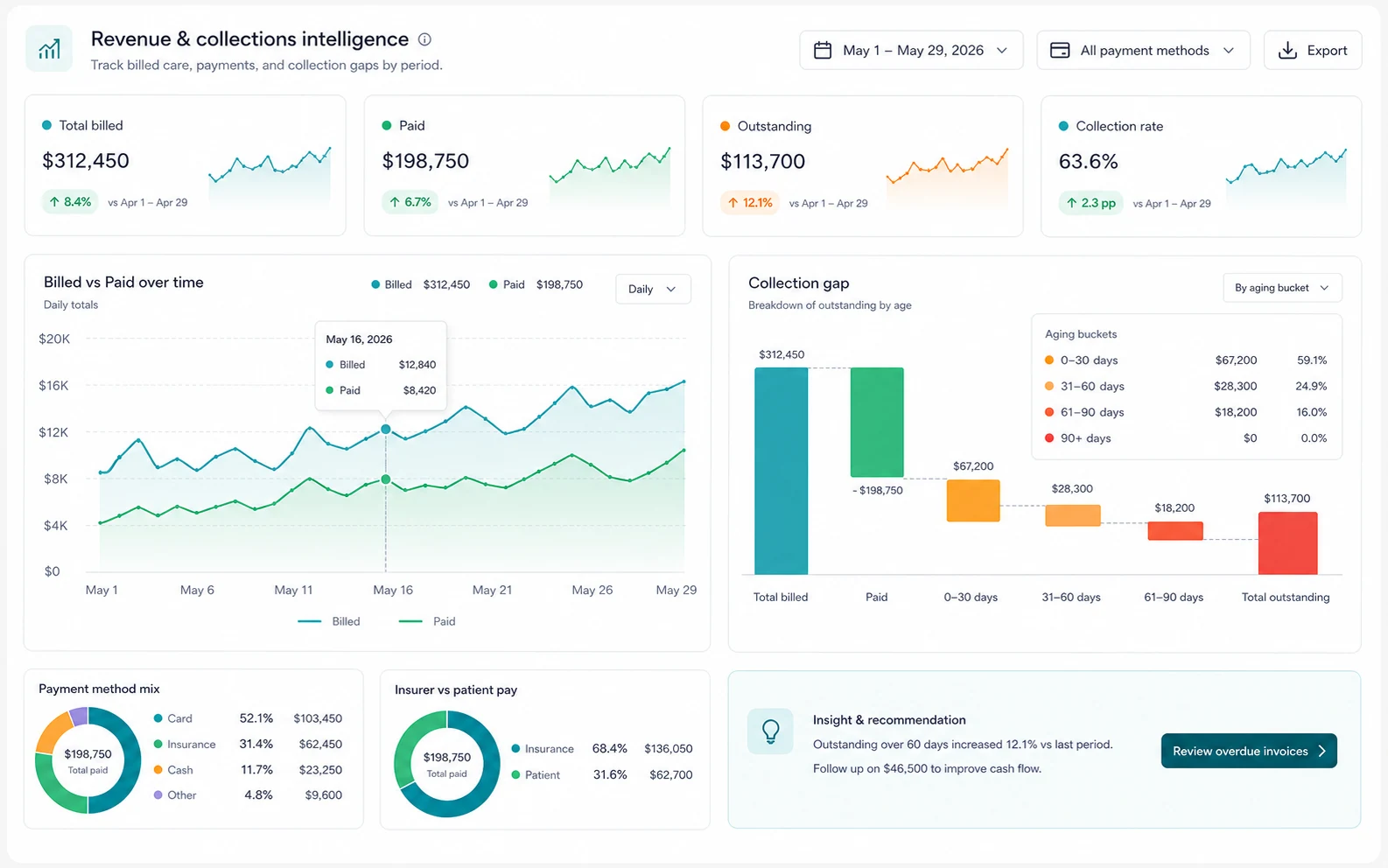
Compare billed care with payments received. Open the full view to see outstanding balances grouped by age, so billing staff can prioritize older invoices.
SmileFlow design previews show sample data. Select a chart to inspect the full view.
Nivarix Portfolio
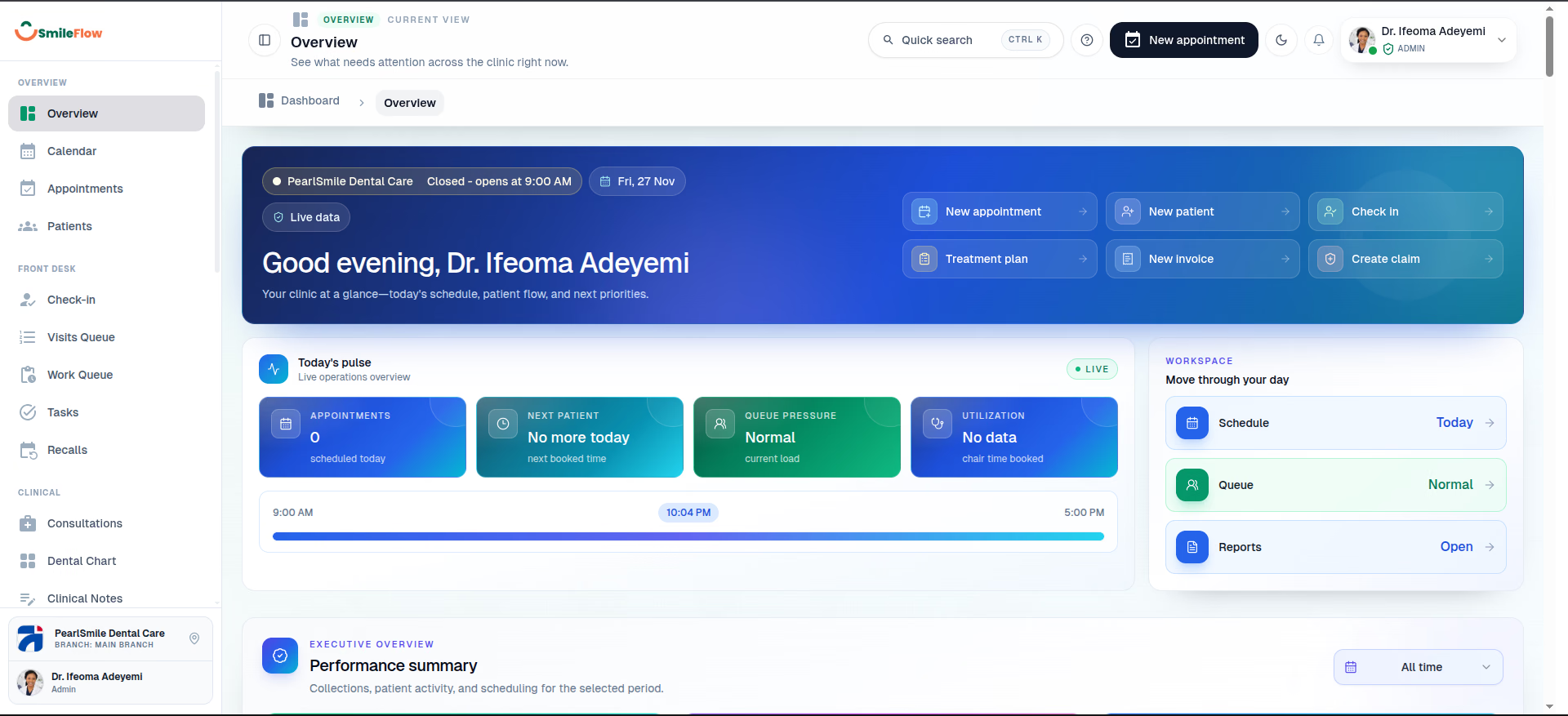
Practice management software
Our dental practice product brings appointments, clinical records and billing together. It gives us a working foundation to assess for a custom build.
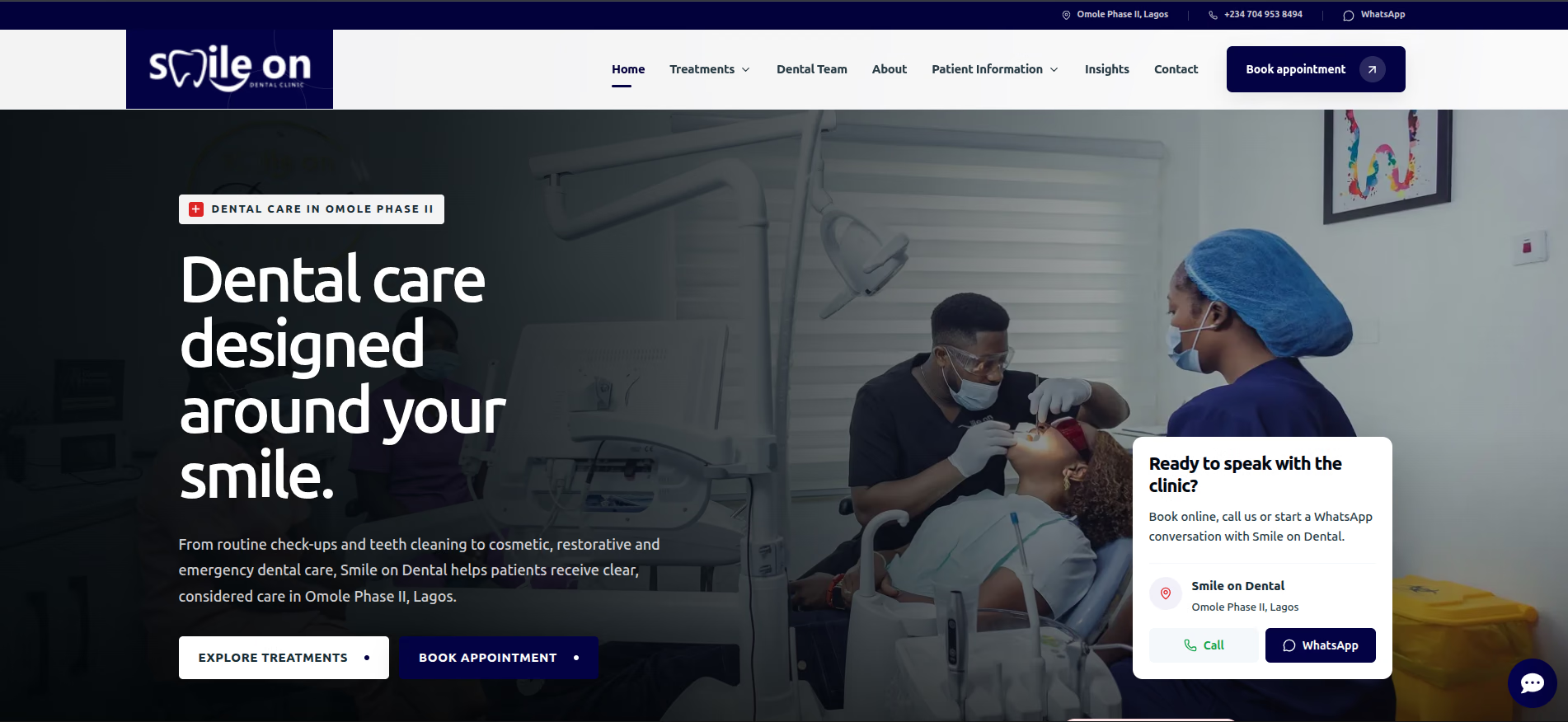
Patient-facing website
Explore the website we worked on for a dental practice, from introducing the clinical team to helping patients find a treatment and book an appointment.
Custom dental software development
Bring a workflow your team handles by hand and the tools you already use. Together we’ll define the first release, who needs access and what a successful handover looks like.
Talk through my projectReview the current workflow, systems, users, locations and business goals.
Prioritize the workflows to improve, technical constraints, data responsibilities and acceptance criteria.
Build and review the agreed platform or modules in stages with practice stakeholders.
Verify the agreed workflows, access rules, integrations and migration plan before release.
Agree monitoring, defect handling, maintenance and the route for future changes.
SmileFlow is Nivarix’s subscription product for running a dental practice. With a custom build, we start with a workflow your practice needs, assess whether SmileFlow components fit, and agree the work, licensing and support with you.
The quote depends on which workflows you need, the systems they connect to, how much data must move and who will run and support the platform. After discovery, we put those decisions and costs into a proposal.
Yes. You can start with one workflow, such as passing website booking requests into your existing scheduling system. In discovery, we check what your current tools can support.
Yes, branding can be part of the scope. We agree which patient-facing and staff screens should use your practice’s identity before design begins.
We first review what your current system can export, the quality of the records and how they map to the new platform. We agree what to move, who can access it and how to verify the transfer before moving any records.
We check each system’s API or export options, vendor terms and data access rules during discovery. That determines which integrations can be included in the proposal.
Yes. We scope what the group can see and manage centrally, such as reporting, and what each clinic manages locally, such as calendars and staff access.
Timing depends on the first release, access to your existing systems and the testing or migration it needs. The delivery plan sets out milestones and where your team will review the work.
We document your rights to the practice’s data, where it is stored, who can access it and how you can export it. We agree those terms before handling live records.
We review the requirements for your practice, jurisdiction and hosting model during scoping. The agreement records which technical controls are included, such as access permissions and audit logging.
We can assess that option during discovery. The decision depends on hosting capabilities, security controls, third-party dependencies, licensing and who will operate the system.
The agreement specifies ownership, licence and access rights for the software built for your project, existing Nivarix components and third-party software.
We can agree maintenance, monitoring and how defects are handled. The support agreement sets out the services, responsibilities and response times.
Yes. We can plan the first release with future changes in mind, then scope additions as your practice’s needs change.
Bring that question to a SmileFlow demo or tell Nivarix what you need built. A short description of the workflow is enough to start.