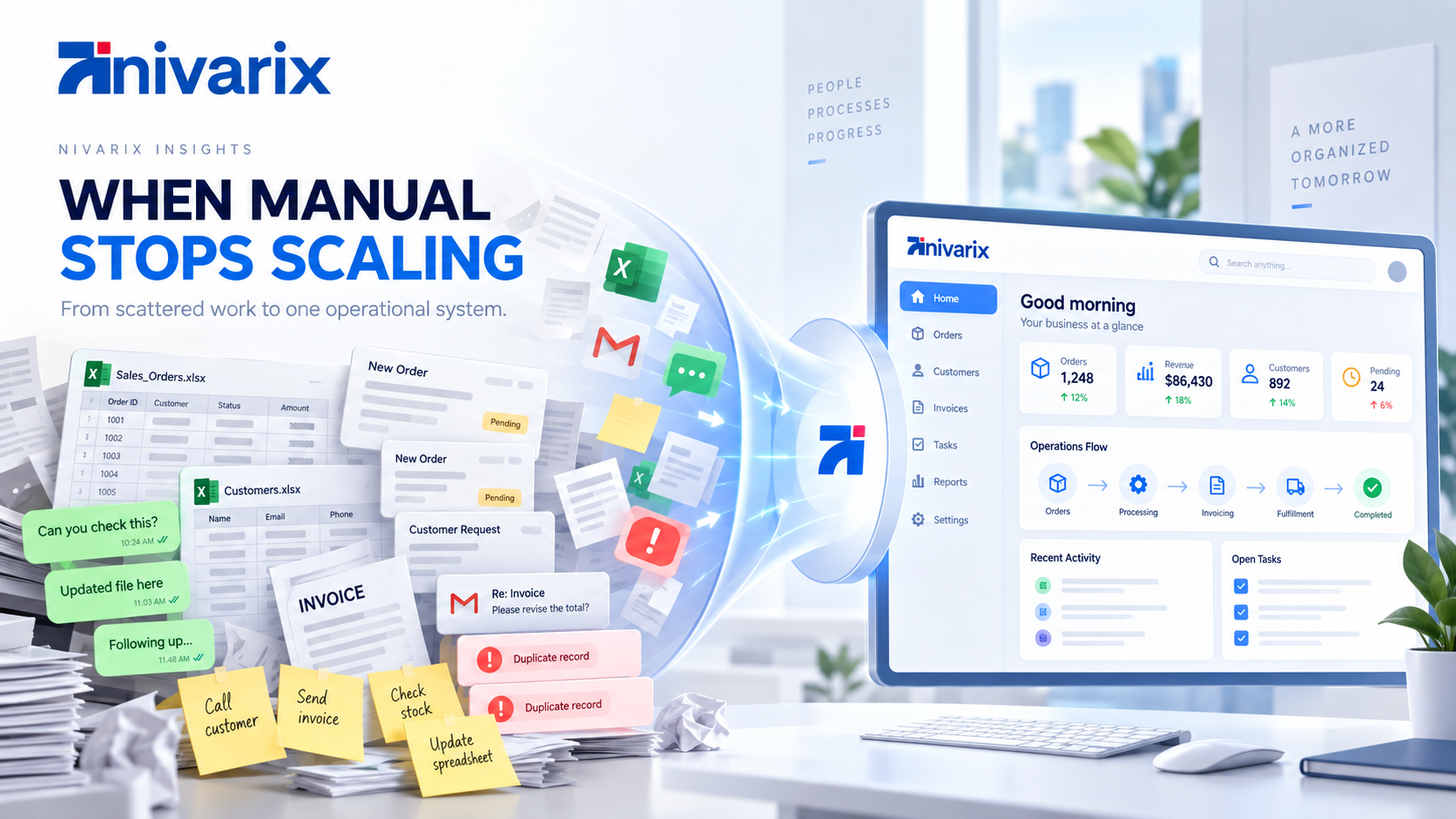
A customer sends an order on WhatsApp.
Someone copies the details into a spreadsheet.
Another employee checks the payment.
The warehouse gets a message in a group chat.
Someone updates another spreadsheet to reduce the stock.
The customer asks for an update two days later, so a staff member starts searching through old messages to find out what happened.
Nothing about this sounds unusual.
In fact, this is how many successful businesses operate for years.
WhatsApp is convenient. Spreadsheets are flexible. Email is familiar. Everyone already knows how to use them. When a company is still small, putting a complex system in place can create more work than it solves.
The problem is not that these tools are bad.
The problem begins when they quietly become the infrastructure holding the entire business together.
There is a point where a spreadsheet stops being a useful tool and starts becoming a database that was never designed to be one.
There is also a point where WhatsApp stops being a convenient communication channel and starts becoming your CRM, order management system, customer support desk and internal task manager at the same time.
If your business has reached that point, it may be time to think about an operations system.
First, WhatsApp and spreadsheets are not the enemy
It is worth saying this clearly because businesses are often told that they need to replace perfectly useful tools simply because something newer exists.
That is not good technology strategy.
If you run a small business with ten regular customers, a spreadsheet may be all you need.
If three employees work closely together and everyone understands what is happening, creating an expensive internal platform could be unnecessary.
WhatsApp is also becoming more important as a business channel, not less.
Meta said in 2025 that more than two billion people use WhatsApp every day, with millions communicating with businesses through messaging. In 2026, Meta reported more than one billion active daily threads between people and businesses across WhatsApp, Messenger and Instagram. (About Facebook)
So the answer is not to abandon WhatsApp.
The answer is to stop expecting a messaging app to remember, organize and run everything happening behind the conversation.
The same is true for spreadsheets.
Keep them where they work.
Replace them where they are becoming a bottleneck.
What is an operations system?
An operations system is software that helps a business manage the processes required to keep the company running.
Depending on the business, that might include:
- customers
- orders
- inventory
- staff tasks
- approvals
- appointments
- quotations
- invoices
- payments
- suppliers
- customer communication
- documents
- reporting
- branches
- deliveries
- workflows
It does not necessarily mean buying one enormous ERP platform.
For one company, the answer might be an existing CRM connected to accounting and payment software.
For another, it might be industry-specific software.
For a company with unusual processes, it might be a custom operational platform.
The important part is not the name of the software.
It is whether your important business processes have somewhere reliable to live.
How businesses usually reach this point
Operational problems rarely appear overnight.
They accumulate.
A business starts with one founder.
The founder knows every customer.
Then the company hires someone.
A spreadsheet is created.
Then another employee joins and creates another spreadsheet because the first one does not contain something they need.
Marketing begins collecting leads.
Sales has its own list.
Finance tracks payments separately.
Customer support happens on WhatsApp.
Inventory has another file.
Management receives a report at the end of the week.
Eventually, the company may have plenty of software but still no actual system.
This is an important distinction.
Having digital tools does not automatically mean your business is digitally organized.
You can use ten different applications and still have employees manually copying information between them.
Salesforce describes small-business digital transformation in similar terms: moving away from scattered documents and manual processes toward connected workflows and centralized information. (Salesforce)
The warning signs usually start appearing long before management decides something has to change.
Here are some of the clearest ones.
1. Important information lives inside people's phones
Imagine one of your most important employees does not come to work tomorrow.
Can the rest of the company see:
which customers they were speaking with,
what was promised,
which quotations were sent,
which issues are unresolved,
which leads need follow-up,
and what needs to happen next?
If the answer depends on opening that employee's WhatsApp, checking their notebook or asking them personally, you have an operational dependency.
Businesses often think they own their customer information because employees work for the company.
Operationally, that is not always true.
If information is scattered across personal conversations and individual files, the business may not have practical access to its own history.
A proper system creates institutional memory.
When a salesperson leaves, the customer relationship should not disappear with them.
When someone goes on holiday, the company should still know what is happening.
This becomes increasingly important as a team grows.
2. Employees are copying the same information from one place to another
This is one of the easiest signs to miss because everyone gets used to it.
A customer completes a website form.
Someone copies it into Excel.
Then they add the customer to accounting software.
Then they send the information to another employee.
That person enters it somewhere else.
The customer makes a payment.
Finance confirms it manually.
Operations updates the order.
The same basic information may have been typed four or five times.
This is where small inefficiencies begin multiplying.
Ten minutes does not sound like much.
But if six employees perform similar manual tasks dozens of times every week, that time adds up quickly.
There is also another cost: errors.
A phone number gets copied incorrectly.
An order quantity is changed.
A payment reference is attached to the wrong customer.
Someone updates one spreadsheet but forgets the other.
Connected software reduces these handoffs.
For example:
Customer submits order
        ↓
Order record created
        ↓
Inventory updated
        ↓
Payment status tracked
        ↓
Operations notified
        ↓
Customer receives confirmation
The information moves through a process instead of being carried manually from person to person.
Salesforce similarly identifies repetitive data entry, disconnected documents and manual updates as common bottlenecks as smaller businesses grow. (Salesforce)
3. You regularly hear, "I thought someone else handled it"
This sentence is expensive.
A lead was not followed up.
An order was not processed.
A customer complaint was forgotten.
A supplier was not contacted.
An invoice was never sent.
A stock request was missed.
Usually, the employee did not deliberately ignore the work.
The business simply did not have a reliable mechanism for assigning, tracking and escalating it.
Group chats make this particularly easy.
Someone writes:
Please handle this.
Three people see the message.
Everyone assumes somebody else will take care of it.
Two days later, the customer follows up.
An operations system makes ownership explicit.
There should be a difference between:
someone saw this
and
someone is responsible for this.
That difference becomes increasingly important as the company adds employees.
4. Nobody is completely sure which spreadsheet is correct
Perhaps you have:
Customers.xlsx
Then:
Customers Updated.xlsx
Then:
Customers Updated Final.xlsx
Then:
Customers Updated Final 2.xlsx
Then someone uploads a Google Sheet because multiple people need access.
Finance still has the old version.
Sales created another copy because they wanted different columns.
At some point, the problem is no longer the spreadsheet itself.
It is that the company has lost its single source of truth.
Which file contains the correct customer phone number?
Which report contains the latest sales figure?
Did inventory already update this order?
Has this invoice actually been paid?
When different teams maintain different records, management can spend more time reconciling information than using it.
A centralized system does not mean every employee sees everything.
It means there is an authoritative record, with appropriate permissions, that connected parts of the business can rely on.
5. Customers have to repeat themselves
This is one of the first operational problems customers can actually feel.
A customer speaks with sales.
Later they contact support.
Support asks:
"Can you explain what happened?"
The customer explains everything again.
Finance calls.
The customer explains it again.
Someone from management eventually gets involved.
They ask for the story again.
Inside the company, these may feel like different departments.
To the customer, they are all the same business.
A connected customer record can show the relevant history across the relationship:
- enquiries
- purchases
- quotations
- payments
- appointments
- support issues
- notes
- previous communication
That changes the experience.
Instead of:
"What happened?"
your employee can say:
"I can see the issue with your order from yesterday. Let me help you resolve it."
Small difference.
Completely different customer experience.
6. Your business depends too much on people's memory
A salesperson remembers to follow up.
A manager remembers that stock is almost finished.
Someone remembers a customer's special pricing arrangement.
Finance remembers that an invoice is overdue.
An employee remembers to call a supplier.
This works until it doesn't.
Human memory is useful.
It should not be your workflow engine.
A properly designed system should help the business remember what needs attention.
For example:
New lead
   ↓
Assign salesperson
   ↓
No response after 24 hours
   ↓
Reminder
   ↓
No activity after 3 days
   ↓
Escalate
Or:
Inventory drops below threshold
   ↓
Alert purchasing
   ↓
Prepare restock request
   ↓
Manager approval
   ↓
Record supplier order
Once basic processes become structured, automation becomes much easier.
This is also where AI becomes more useful.
An AI agent cannot reliably automate a process that the company itself has never clearly defined.
Good AI automation usually starts with good operational foundations.
That is something we discussed in our guide to AI agents for business, where agents become significantly more useful when they can work with structured systems, clear permissions and defined workflows.
7. Management cannot get answers without asking several people
Here is a useful test.
Suppose the owner of the company asks:
How many new leads came in this month?
Can someone answer immediately?
What about:
How many became customers?
What is our outstanding invoice value?
Which products are running low?
Which branch generated the most revenue?
How many customers are waiting for service?
Which sales opportunities have had no follow-up for seven days?
If each question requires calling three employees and combining four spreadsheets, reporting is probably too fragmented.
Businesses often realize they need better software because they want dashboards.
But the dashboard is usually not the real problem.
The real problem is the data underneath it.
You cannot build reliable reporting on unreliable processes.
A useful operations system captures information while work happens.
Management reporting then becomes a consequence of running the business, rather than a separate activity employees have to reconstruct later.
8. You have grown, but your processes still assume five employees
This is common.
A process that worked perfectly when the founder personally approved everything becomes painful when there are 25 employees.
Maybe every discount still requires sending the CEO a WhatsApp message.
Perhaps only one person knows how inventory works.
Maybe all purchases require someone to physically sign a document.
Perhaps one administrator schedules every appointment manually.
Growth changes the mathematics of operations.
A process performed ten times per week might be manageable manually.
The same process performed 400 times per week is a different problem.
The goal of software is not necessarily to remove people.
Often, it allows the same people to handle significantly more work without the company becoming chaotic.
That is an important distinction.
Good operational software should make employees more capable, not simply make the organization more complicated.
9. You are buying more software, but the problems keep growing
There is another stage businesses reach where they realize manual processes are becoming difficult.
So they start buying tools.
One for CRM.
Another for project management.
Another for email marketing.
Another for invoices.
Another for inventory.
Another for customer support.
Another for reporting.
Another for HR.
Individually, each product may be excellent.
Collectively, you can end up with a new problem.
Software fragmentation.
Customer information is still duplicated.
Employees switch between multiple dashboards.
Automation breaks between systems.
Management cannot see the whole business.
The answer is not necessarily to replace everything with one application.
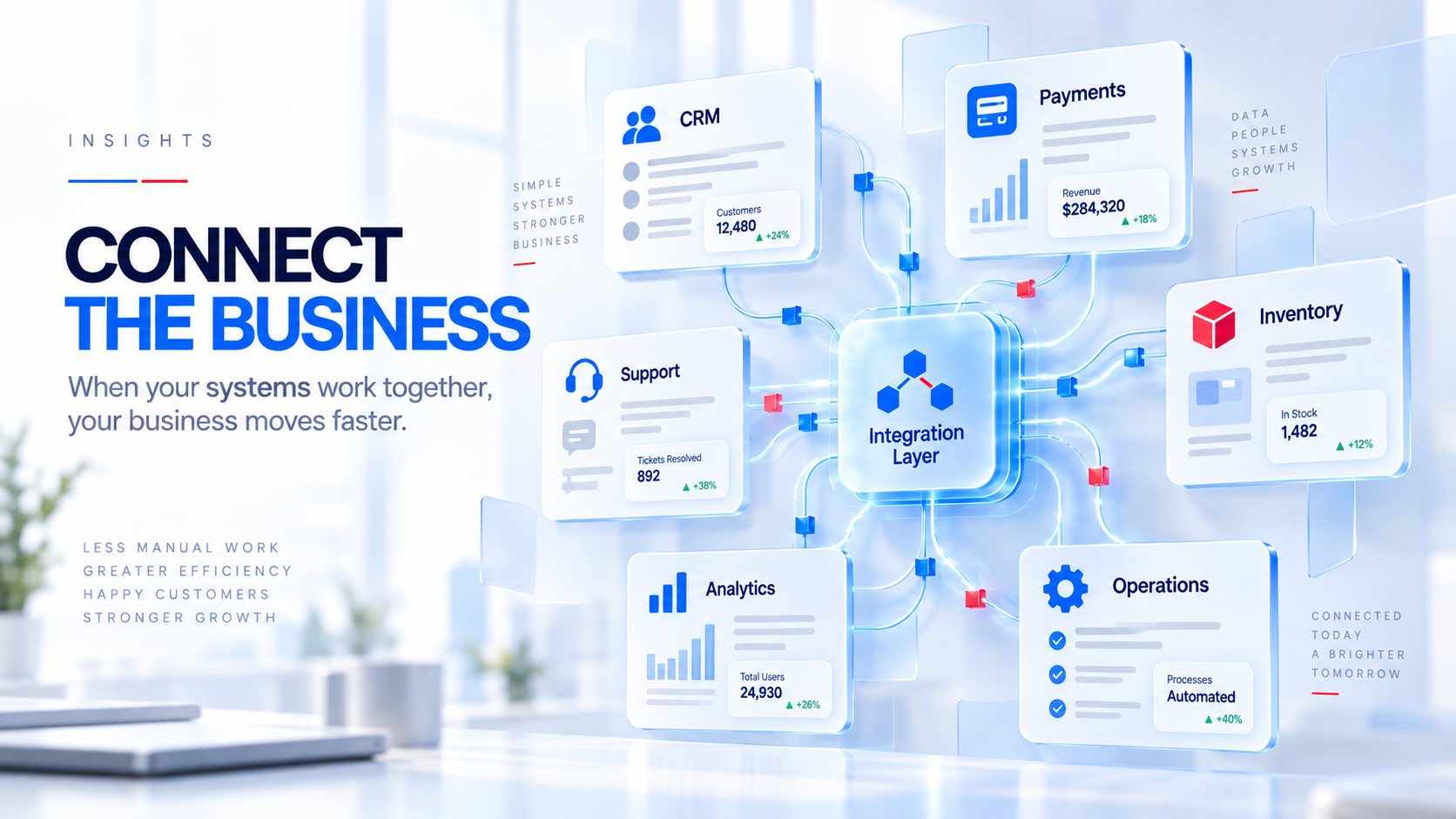
It may be to integrate the systems properly.
This is where APIs, workflow automation and custom software can become useful.
For example:
Website
   ↓
CRM
   ↓
Sales workflow
   ↓
Payment system
   ↓
Operations
   ↓
Customer communication
   ↓
Reporting
Different applications can still exist.
They simply need to stop behaving like unrelated islands.
10. Mistakes are becoming more expensive
When a small business makes an operational mistake, the owner can often fix it personally.
As a business grows, the consequences become larger.
One missed order becomes twenty.
One incorrect inventory record affects multiple branches.
A forgotten follow-up means losing a valuable contract.
An employee accidentally shares information with the wrong person.
Nobody can determine who edited a record.
The problem with informal systems is that they often rely on trust and familiarity.
Structured software introduces controls.
Depending on the system, those controls might include:
- user roles
- approval levels
- audit logs
- access permissions
- activity history
- automated validation
- data backups
- workflow rules
- branch restrictions
- management oversight
These features can sound unnecessarily "corporate" when a company has four employees.
They sound very different when it has forty.
So when should you actually replace the spreadsheet?
Not because somebody on LinkedIn said spreadsheets are outdated.
And not because your competitor launched an app.
Replace a spreadsheet when the process it manages has become too important or too complex for a spreadsheet to remain reliable.
A simple way to think about it:
| Situation | Spreadsheet may still work | Consider an operations system |
|---|---|---|
| Customer volume | Small and manageable | Growing rapidly |
| Team size | One or a few people | Multiple employees or departments |
| Process | Simple tracking | Multi-step workflow |
| Responsibility | Obvious | Requires assignments and approvals |
| Data | One main file | Several versions and sources |
| Reporting | Occasional | Needed continuously |
| Automation | Not necessary | Repetitive manual work |
| Customer history | Easy to remember | Too much to track manually |
| Access | Few users | Different roles and permissions |
| Integrations | None | Payments, CRM, inventory, messaging, etc. |
There is no magic customer count.
There is no point where every company suddenly needs an ERP.
Look at the complexity of the workflow, not just the size of the company.
A 12-person logistics business may need more operational software than a 50-person consultancy.
The way the company works matters.
What about WhatsApp?
Keep it.
For many businesses, WhatsApp is exactly where customers want to communicate.
Meta continues investing heavily in business messaging. In 2026, it expanded Business Agent capabilities that can answer questions, recommend products, qualify leads, book appointments and connect with external business systems. (About Facebook)
That tells us something important.
The future is probably not:
WhatsApp or business software.
It is increasingly:
WhatsApp connected to business software.
Imagine this instead.
A customer sends:
Hi, is my order ready?
Rather than an employee searching through several chats and calling the warehouse, the business system already knows the customer's order.
The customer can receive the correct update.
If something unusual has happened, an employee takes over.
WhatsApp remains the conversation.
Your operations platform provides the memory and structure behind that conversation.
That is a much stronger model.
Off-the-shelf software or custom software?
Once a business recognizes the problem, the next mistake is assuming it immediately needs custom software.
It might not.
There are excellent existing products for:
- CRM
- accounting
- HR
- inventory
- project management
- customer service
- ecommerce
- appointment scheduling
If an existing product handles 90 percent of your workflow at a sensible cost, building the same thing from scratch may not make commercial sense.
Custom software becomes more interesting when your operations are unusual enough that the software is constantly forcing your company to work differently.
You may notice this when:
employees are creating workarounds around the software,
several products are required to complete one workflow,
your business has industry-specific processes,
you need customer or staff portals that existing products cannot provide,
different branches have complex rules,
or the process itself gives your company a competitive advantage.
We will explore that decision more deeply in our guide on Custom Software vs SaaS: Which Is Right for a Growing Business?
Before buying software, map the process
This step can save a company a lot of money.
Do not begin with:
"We need an ERP."
Start with:
"How does an order actually move through our company?"
Write it down.
For example:
Customer enquiry
      ↓
Quotation
      ↓
Customer accepts
      ↓
Payment
      ↓
Order processing
      ↓
Inventory allocation
      ↓
Delivery
      ↓
Customer confirmation
      ↓
Follow-up
Then ask at every stage:
Who handles this?
Where is the information stored?
What happens next?
Who needs to approve it?
What can go wrong?
Which steps are repeated manually?
What information does management need?
Where are customers waiting?
Which parts could be automated?
This gives you something much more useful than a software wishlist.
It gives you an operational map.
Software should then be designed or selected around that map.
Not the other way around.
Start with the biggest operational pain, not the biggest software project
Digital transformation sounds expensive because businesses imagine replacing everything at once.
Usually, that is unnecessary.
You might start with one process.
For example:
Lead management.
Centralize enquiries.
Track every opportunity.
Assign ownership.
Automate reminders.
Measure conversions.
Once that works, connect quotations.
Then payments.
Then customer support.
Then reporting.
Salesforce's current guidance for smaller businesses makes a similar point: digital transformation does not have to begin with a massive IT project. It can start by identifying manual bottlenecks, establishing measurable goals and progressively connecting the systems that matter. (Salesforce)
A good implementation improves the business incrementally.
It does not shut down operations for six months while everyone waits for the perfect platform.
The real cost of "free" systems
Spreadsheets are inexpensive.
WhatsApp is inexpensive.
Manual work often appears inexpensive too.
But the cost is not simply the subscription price of the software you did not buy.
Think about:
employees spending hours reconciling records,
customers waiting longer for responses,
missed sales follow-ups,
orders processed incorrectly,
management making decisions with outdated information,
duplicate work,
lost customer history,
delayed invoices,
inventory mistakes,
and processes that cannot scale without hiring another administrator.
Those costs rarely appear as one line on an income statement.
They are distributed throughout the organization.
That is why operational inefficiency can survive for years.
It is difficult to see until you deliberately look for it.
A simple test for your business
Ask these ten questions:
- Can we see the status of every important customer or order without asking somebody?
- Does important company information live primarily in employee chats?
- Are people copying information between systems every day?
- Do customers sometimes fall through the cracks because someone forgot to follow up?
- Do different departments maintain their own versions of the same data?
- Can management get reliable operational reports without manually combining files?
- Are repetitive tasks consuming a meaningful amount of employee time?
- Does the business become difficult to operate whenever one key employee is absent?
- Are we hiring more people mainly to coordinate processes rather than deliver more value?
- Would doubling our customers create operational chaos with the systems we use today?
If several answers make you uncomfortable, you probably do not have a people problem.
You may have a systems problem.
Your business may not need more software. It may need a better system.
This is the part that gets missed.
Digital transformation is not about collecting applications.
It is about creating a business where information can move reliably from one process to the next.
Your employees should know what needs to happen.
Your customers should not have to repeatedly explain themselves.
Management should be able to see what is going on.
Important information should not disappear inside personal devices.
Routine work should not depend entirely on memory.
And your systems should become more useful as the business grows, rather than becoming another obstacle employees have to work around.
Spreadsheets can remain part of that environment.
WhatsApp can remain part of that environment.
Email can remain part of it too.
The difference is that none of them should have to carry the entire company.
Building operations around how your company actually works
At Nivarix Technologies, we approach operational software from the process first.
That may mean connecting systems you already use.
It may mean automating repetitive workflows.
It may mean implementing an existing platform properly.
Or it may mean building custom software when your operations have outgrown what standard tools can handle.
The goal is not to give a business more technology.
The goal is to make the business easier to run.
If your team spends too much time searching for information, updating spreadsheets, coordinating work through chats or manually moving data between systems, that is a good place to start looking.
Explore Nivarix Operational Software Solutions