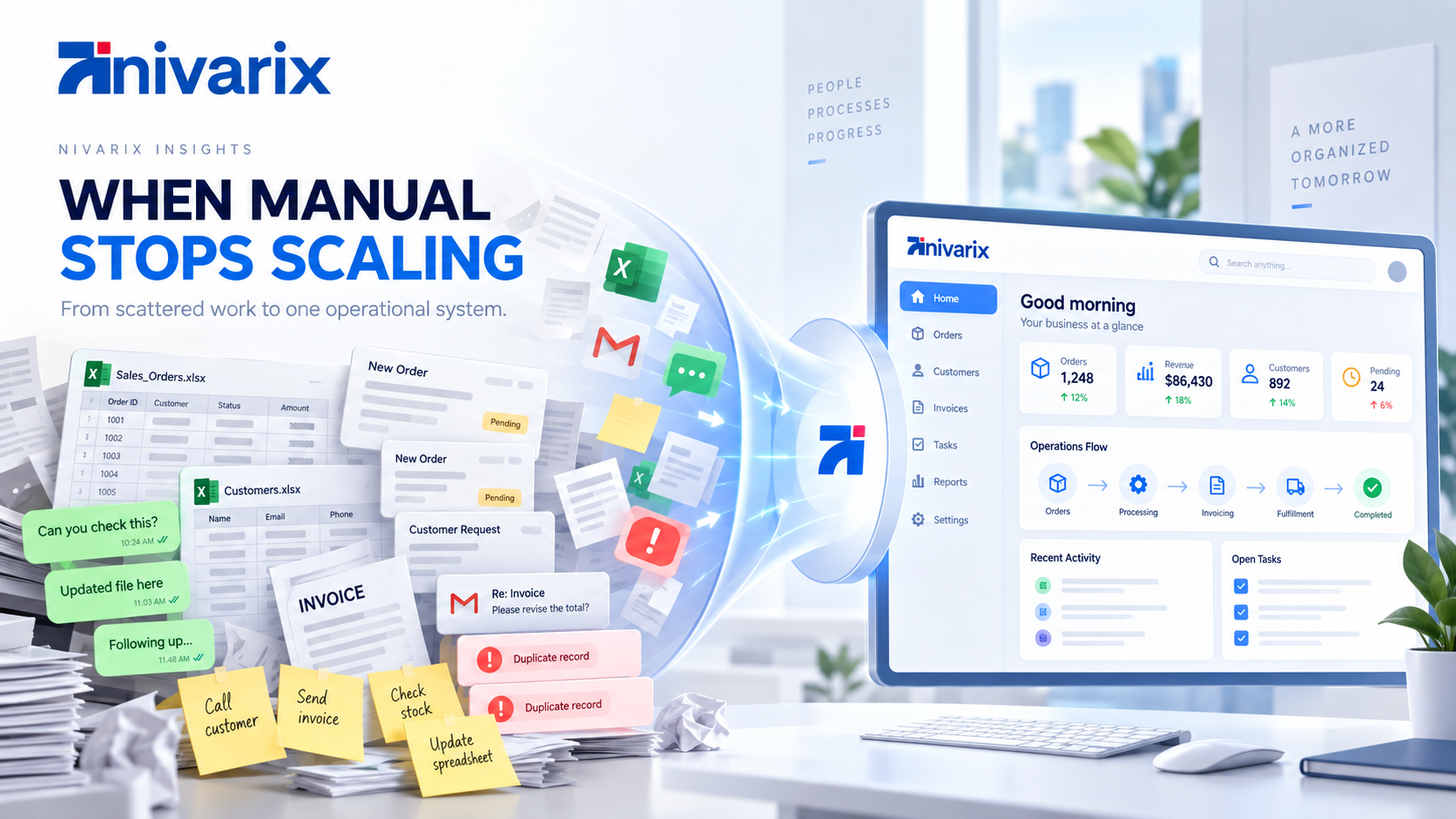
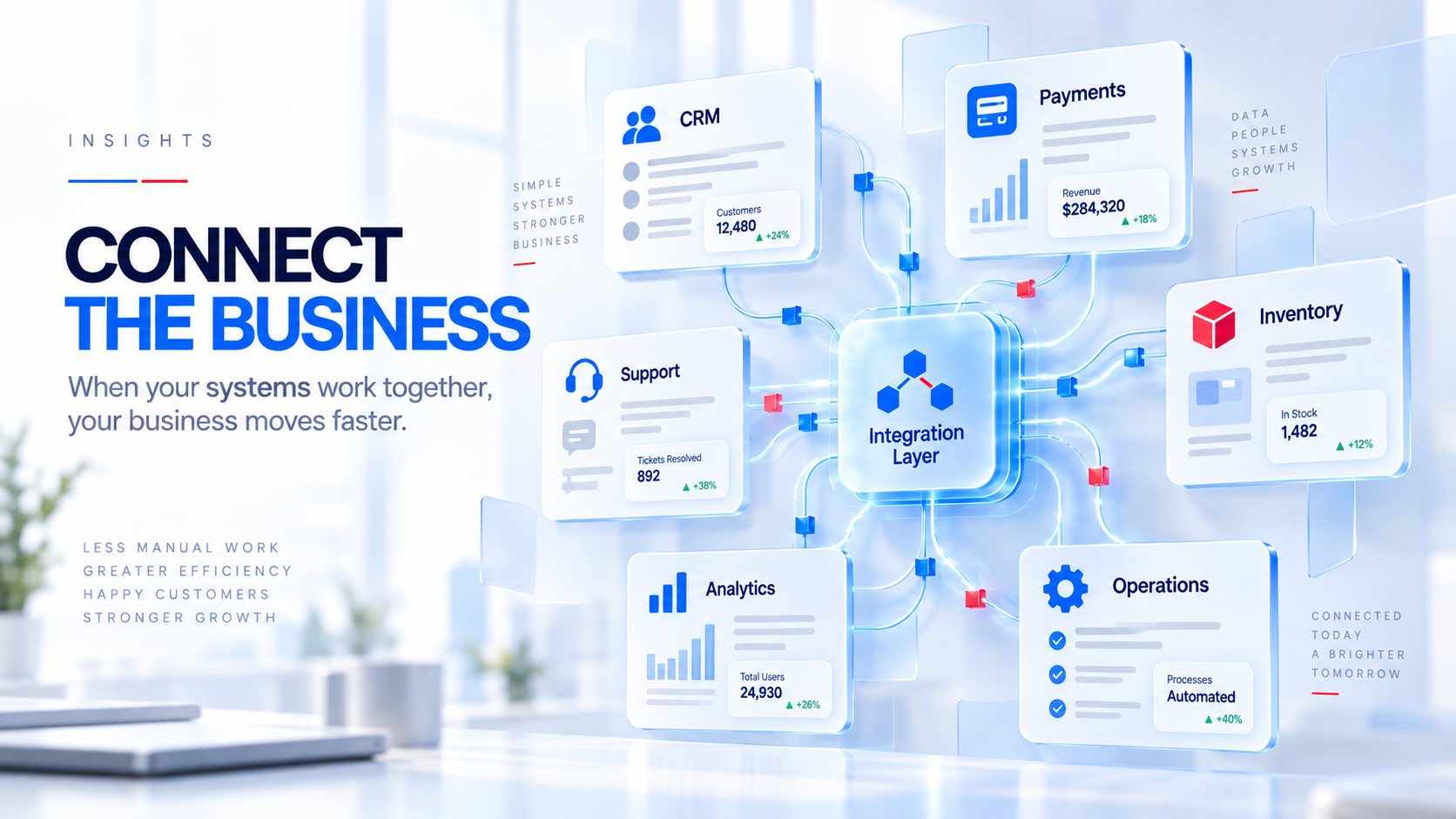
Most growing businesses already have software.
That is usually not the problem.
The sales team has a CRM.
Finance has accounting software.
Customers pay through a payment platform.
Operations has its own system.
Marketing uses another application.
Customer support has a separate inbox.
Inventory may live somewhere else.
And somewhere in the middle of all of this, there is still a spreadsheet holding together information that nobody has figured out how to connect.
Each application may work perfectly well on its own.
The difficulty starts when the business process crosses several of them.
A customer makes a payment.
Finance sees it.
Sales does not.
Someone sends a screenshot.
Operations confirms the order manually.
Another employee updates the spreadsheet.
Customer support still cannot see what happened.
The customer eventually asks:
"I already paid. Why am I being asked to pay again?"
That is not really a payment problem.
It is an integration problem.
And as companies adopt more applications, AI tools and automation, integration is becoming one of the most important parts of business technology.
Salesforce's August 2026 research involving 3,450 commerce professionals found that organizations now use more than 11 applications on average to support digital commerce. Nearly four in five respondents said the number of vendors they use had increased over the previous two years. The same research found that fragmented customer data and disconnected systems were creating problems ranging from duplicate records to slower responses and higher operating costs. (Salesforce)
The lesson is simple.
Your business can own a lot of good software and still have a bad system.
What does business systems integration actually mean?
Systems integration means connecting different applications, databases and services so they can exchange information and participate in the same business processes.
IBM defines enterprise application integration as connecting otherwise separate software systems, often through APIs and middleware, so businesses can reduce data silos and streamline processes. (IBM)
In plain English:
Your software starts talking to each other.
For example:
Website
   ↓
CRM
   ↓
Quotation
   ↓
Payment
   ↓
Operations
   ↓
Inventory
   ↓
Customer communication
   ↓
Reporting
The customer should not have to care that eight different systems are involved.
Employees should not have to manually carry information between them either.
The experience should feel like one process.
The problem starts when employees become the integration
Look closely at what people do every day inside a growing business.
You may notice employees performing jobs like:
copy this customer into the CRM,
download this transaction,
upload it somewhere else,
send this order to operations,
check whether finance confirmed payment,
update the spreadsheet,
notify the branch,
send the customer a message,
prepare the report.
None of those tasks may take very long individually.
The problem is repetition.
Suppose someone spends five minutes transferring information between systems.
They do it 30 times per day.
That is 150 minutes.
Two and a half hours.
Every working day.
Across several employees, this becomes a meaningful operating cost.
And that calculation still ignores errors, missed updates and customer frustration.
This is why integration is not simply an IT concern.
It is an operational concern.
What does a disconnected business look like?
Imagine a company selling products to other businesses.
A new customer completes a form on the website.
Their information enters the marketing platform.
A salesperson manually creates the customer in the CRM.
The salesperson prepares a quotation using another tool.
The customer pays through a payment provider.
Finance receives the payment notification.
Someone tells sales.
Sales sends the order to operations.
Operations checks stock.
Warehouse prepares the order.
Delivery information goes into another system.
Customer support has no visibility into most of this.
Management receives a spreadsheet at the end of the week.
Technically, the business is digital.
Almost everything happens through software.
But the process itself is still manual.
Now compare that with a connected process.
Customer enquiry
       ↓
CRM record created
       ↓
Sales opportunity assigned
       ↓
Quotation generated
       ↓
Payment received
       ↓
CRM updated automatically
       ↓
Order released to operations
       ↓
Inventory allocated
       ↓
Customer notified
       ↓
Management reporting updated
The same applications may still be involved.
What changed is how information moves between them.
Integration creates a single customer journey
One of the biggest problems with disconnected software is that departments begin seeing different versions of the same customer.
Marketing knows what campaign brought them in.
Sales knows what they discussed.
Finance knows whether they paid.
Operations knows what was delivered.
Support knows what went wrong.
But nobody sees the whole relationship.
To the customer, this is strange.
They are interacting with one company.
Internally, however, the company may be behaving like five separate organizations.
A connected customer record can bring together relevant information from several systems.
For example:
Customer

Contact details
Purchase history
Payments
Support requests
Appointments
Orders
Communication
Outstanding tasks
Account status
That does not necessarily mean storing every piece of information inside one application.
It means making the right information available where it is needed.
Salesforce's 2026 research found that 46 percent of B2C organizations surveyed reported duplicate or conflicting customer data, while 37 percent of B2B respondents said disconnected data slowed or weakened their ability to respond to customer issues. (Salesforce)
Those numbers describe a problem customers can actually feel.
Consider what happens after a customer pays
Payment is one of the easiest places to understand the value of integration.
Without integration:
Customer pays
      ↓
Finance receives notification
      ↓
Finance checks transaction
      ↓
Employee informs sales
      ↓
Sales informs operations
      ↓
Someone updates order
      ↓
Customer gets confirmation
With the right integration:
Customer pays
      ↓
Payment provider verifies transaction
      ↓
Order marked paid
      ↓
CRM updated
      ↓
Operations notified
      ↓
Receipt issued
      ↓
Customer confirmation sent
The payment platform did not change.
The CRM did not necessarily change.
The operations software did not change.
The applications were simply connected around the event.
Salesforce describes APIs in modern business systems in similar terms. A single customer transaction can involve APIs checking inventory, collecting payment, arranging delivery and recording the purchase in a CRM, while the customer experiences it as one interaction. (Salesforce)
What is an API?
You will hear this word constantly when discussing integration.
An API, or application programming interface, is a structured way for software applications to communicate with each other.
Think about a restaurant.
A customer does not walk directly into the kitchen and start giving instructions to the chef.
They communicate through an agreed interface.
They place an order.
The kitchen receives it.
The food comes back.
Software APIs work on a similar principle.
One application can request:
Get customerAnother returns the relevant customer information.
Or:
Create invoiceThe accounting system creates the invoice.
Or:
Check paymentThe payment provider responds with the current status.
APIs create controlled ways for applications to exchange information or trigger actions.
IBM describes APIs as defined rules that let different software applications communicate, while API-led connectivity uses those interfaces strategically to reduce silos and make systems easier to extend. (IBM)
APIs are not the only way systems connect
Business integration can use several approaches.
Depending on the software involved, you may use:
- APIs
- webhooks
- middleware
- integration platforms
- message queues
- event systems
- database synchronization
- scheduled data imports
- file exchange
- custom connectors
The implementation depends on what the applications support and how quickly information needs to move.
A daily accounting report may be fine with scheduled synchronization.
A customer payment may need to update the order immediately.
A delivery status might arrive as an event.
There is no single integration method that is correct for everything.
The architecture should match the process.
What are webhooks?
A webhook is particularly useful when one system needs to tell another system that something just happened.
For example:
Payment successfulThe payment provider sends that event to your system.
Or:
Appointment cancelledYour scheduling application sends the update.
Or:
Package deliveredThe logistics system notifies the customer platform.
Without a webhook, your application may repeatedly ask:
Has something changed yet?
With a webhook, the other system says:
Something changed. Here are the details.
These small architectural choices are what make modern business workflows feel immediate.
Integration reduces duplicate data entry
This may be one of the easiest benefits to calculate.
Suppose your sales team enters:
customer name,
email,
phone number,
company,
address.
Then finance enters the same details again.
Operations enters them again.
Support creates another customer record.
Now you have four opportunities for inconsistency.
Perhaps one application contains:
Gentle Global Group
another:
Gentle Global
another:
Gentle Global Ltd
and another:
G.G.G
Humans know these are probably the same company.
Software may not.
This is how duplicate data appears.
Instead, create the customer once.
Then allow authorized systems to reference or synchronize the appropriate information.
Customer created
      ↓
CRM
 ↙    ↓     ↘
Finance   Operations   Support
You reduce typing.
But more importantly, you reduce disagreement about what is true.
Integration gives management better reporting
A business dashboard is only as good as the systems feeding it.
Imagine management wants to know:
Which marketing campaigns generated customers who actually paid?
Marketing can tell you which leads came from each campaign.
Sales can tell you which leads became opportunities.
Finance can tell you who paid.
If those systems are disconnected, answering the question may require exporting multiple spreadsheets.
Now imagine the data is connected.
Marketing campaign
      ↓
Lead
      ↓
Opportunity
      ↓
Customer
      ↓
Payment
      ↓
Revenue
Suddenly, the business can connect marketing activity to actual revenue.
That changes decision-making.
The same principle applies to:
customer acquisition cost,
sales conversion,
inventory performance,
branch performance,
support quality,
repeat purchases,
payment behaviour,
delivery efficiency.
Reporting becomes much more valuable when it can follow the full business process.
One system does not have to contain everything
A common reaction to integration problems is:
We need one software system for the entire company.
Sometimes that is appropriate.
Often it is not.
You may already have an excellent:
CRM,
accounting platform,
payment provider,
communication platform,
inventory system.
Why replace strong tools simply because they are different products?
A better architecture may be:
           Customer Portal
                  ↓
               CRM
            ↙    ↓    ↘
     Payments  Operations  Support
            ↘    ↓    ↙
             Data Layer
                  ↓
              Analytics
Different tools.
Connected workflow.
AWS uses a similar approach in its unified commerce architecture, where several applications and SaaS services are coordinated through shared APIs to create a consistent customer experience across channels. (AWS Documentation)
The objective is not necessarily:
one application.
The objective is:
one operating system for the business, even if several applications sit underneath it.
Integration makes automation much more useful
Imagine your CRM knows a deal has been won.
But the project management software does not.
You could create an automation inside the CRM.
But the employee still needs to manually create the project.
Now connect the systems.
Opportunity marked Won
       ↓
Create project
       ↓
Create customer folder
       ↓
Assign account manager
       ↓
Create onboarding tasks
       ↓
Notify finance
       ↓
Send welcome email
One event creates several actions.
This is where businesses start getting real leverage from software.
Employees stop manually coordinating predictable steps.
The system handles them.
Integration is becoming even more important because of AI
AI creates an interesting problem.
An AI agent may be capable of reasoning about your business.
But what information does it have?
Suppose you ask:
Which customers should the sales team prioritize today?
To answer properly, the AI may need:
CRM activity,
purchase history,
outstanding invoices,
support issues,
marketing engagement,
contracts.
If all of that data exists in isolated systems, the AI has a fragmented view of the business.
This is one reason integration is becoming foundational to enterprise AI.
Salesforce's 2026 Connectivity Report found that 96 percent of surveyed IT leaders said successful AI agents depend on integration across systems. The same research found that half of agents were still operating in isolated silos, creating disconnected workflows and duplicated automation. (Salesforce)
IBM makes a similar point, noting that AI tools become more useful when integration gives them access to complete and current data across the organization. (IBM)
AI does not eliminate the integration problem.
It makes solving it more important.
Imagine an AI agent inside a connected business
A customer emails:
We paid for 200 units yesterday but only received 180. Can you check?
In a disconnected company, the AI might only be able to draft a polite reply.
Useful.
But someone still needs to investigate.
In a connected environment, the agent may be able to:
Identify customer
      ↓
Retrieve order
      ↓
Verify payment
      ↓
Check warehouse record
      ↓
Check delivery confirmation
      ↓
Find discrepancy
      ↓
Create support case
      ↓
Prepare resolution
Now AI is participating in the process.
Not simply generating text.
This is the same transition we discussed in our article about AI-native software.
AI becomes most useful when it can work with real systems and reliable business context.
The goal is not to integrate everything
This is another important point.
Integration can become a bad technology strategy if a company starts connecting applications simply because it can.
Every integration has a cost.
Someone must:
build it,
test it,
monitor it,
secure it,
maintain it,
update it when APIs change.
The question should always be:
What business process improves because these systems are connected?
Good example:
Connect the payment provider to order management because payment should automatically release an order.
Clear value.
Weak example:
Synchronize every field between two platforms because someone might need the information someday.
That may create unnecessary complexity.
Integration should follow business processes.
Not technology enthusiasm.
Point-to-point integration can become messy
Imagine a company has four systems.
CRM
Payments
Inventory
Accounting
You connect them directly.
Fine.
Then you add:
support,
marketing,
HR,
delivery,
AI agents,
a mobile application,
a customer portal.
Eventually, you may end up with connections everywhere.
A ↔ B
A ↔ C
A ↔ D
B ↔ C
B ↔ E
C ↔ F
D ↔ G
This becomes difficult to maintain.
One change can affect several systems.
This is one reason larger architectures often introduce:
middleware,
integration platforms,
shared APIs,
event buses,
or centralized integration services.
IBM warns that uncontrolled growth of APIs can create what it calls API sprawl, where duplicated and poorly governed interfaces introduce security, cost and maintenance problems. (IBM)
Integration should simplify the business.
The architecture supporting it should not quietly become another source of chaos.
Security matters when systems start sharing information
Connecting software creates value.
It also creates responsibility.
If your CRM can retrieve financial information, you need to ask:
Which users can see it?
If an AI agent can create a refund:
What is the limit?
If another system can update customer information:
How is it authenticated?
A good integration architecture considers:
- authentication
- authorization
- encryption
- API keys and secrets
- audit logs
- rate limits
- data validation
- user permissions
- monitoring
- error handling
- regulatory requirements
Not every application should have access to everything.
Integration does not mean removing boundaries.
It means creating controlled pathways between systems.
Error handling is part of the business workflow
This is something people rarely think about until an integration fails.
Imagine:
Payment succeeds.
The payment provider attempts to notify your system.
Your server is temporarily unavailable.
What happens?
Does the order stay unpaid forever?
Does the customer get charged twice?
Does someone need to fix it manually?
Production integration needs to account for failure.
Good systems may use:
retries,
idempotency,
queues,
logs,
alerts,
reconciliation processes.
The technical details vary.
The business principle is simple.
Connected software should fail predictably.
A workflow is not reliable merely because it works when everything goes perfectly.
Integration can improve customer service dramatically
Consider a customer calling support.
The employee opens one screen.
They can see:
the customer,
latest order,
payment status,
delivery status,
recent messages,
open support cases.
The conversation starts immediately.
Compare that with:
One moment while I check another system.
Then:
Can you tell me your order number again?
Then:
Finance hasn't updated this yet. Let me contact them.
Then:
I'll get back to you.
The first experience feels like dealing with one business.
The second feels like dealing with departments that have never met.
Integration becomes customer experience.
Even when customers never see the underlying technology.
Integration can improve employee experience too
Businesses often think about customer-facing technology first.
Employees live inside these systems every day.
An employee may have to:
open CRM,
copy customer ID,
open billing,
search customer,
copy invoice number,
open support,
paste information,
open email,
write update.
This happens hundreds of times.
Connected software can reduce the number of applications employees need to actively manage.
Sometimes that means bringing data into one interface.
Sometimes automation handles the transition completely.
Sometimes a custom internal dashboard provides a unified operational view.
This is one of the strongest use cases for custom operational software.
You do not necessarily replace all the existing tools.
You build a better layer over them.
An operational dashboard can sit above several systems
Imagine management needs one place to see:
sales,
revenue,
orders,
inventory,
customer issues,
operations.
You do not necessarily have to migrate all of those functions into one database.
A custom dashboard can retrieve and normalize information from multiple systems.
CRM ──────────────┐
Payments ─────────┤
Inventory ────────┤
Support ──────────┼──→ Operational Dashboard
Accounting ───────┤
Delivery ─────────┘
Management gets a unified view.
The specialist applications continue doing what they do best.
This is a good example of where custom software and SaaS can work together rather than competing.
Integration also reduces dependency on individual employees
Picture an employee who has developed a personal process.
They know:
where to export the sales report,
how to clean it,
which customer names need correction,
which finance file to combine it with,
how to calculate management's weekly figures.
Everyone relies on them.
Then they leave.
The company discovers that the process was never really a system.
It was knowledge inside one person's head.
Integration allows more of those processes to become organizational infrastructure.
The system itself understands where information comes from and where it needs to go.
This is closely connected to the problem we discussed in Still Running Your Business With Spreadsheets and WhatsApp?
The more a business grows, the less critical operations should depend on memory and manual coordination.
How should a business start integrating its systems?
Do not begin with:
Connect everything.
Start with one painful workflow.
Step 1: List the systems involved
For example:
Customer purchases product.
Systems:
Website
CRM
Payment provider
Inventory
Delivery
Email
Accounting
Step 2: Map how information moves today
Who copies what?
Who confirms what?
Where does someone wait?
Where do mistakes happen?
Where does information get lost?
Step 3: Identify the source of truth
This is important.
Which system owns:
customer information?
inventory?
payment status?
order status?
invoice?
Different applications may contain copies, but there should be clarity around which one is authoritative.
Step 4: Define the desired workflow
For example:
Order created
      ↓
Inventory reserved
      ↓
Payment completed
      ↓
Order confirmed
      ↓
Finance record created
      ↓
Warehouse notified
      ↓
Delivery scheduled
      ↓
Customer updated
Step 5: Check available APIs and webhooks
Understand what each product can actually do.
Some platforms expose excellent APIs.
Others are limited.
This can influence whether you integrate, replace or extend the system.
Step 6: Automate the highest-value steps
Do not automate everything immediately.
Start where the business gets a clear benefit.
Step 7: Monitor what happens
Track failures.
Track delays.
Track manual interventions.
Improve the system based on reality.
When should you replace an application instead of integrating it?
Integration is not always the answer.
Sometimes a system is simply holding the company back.
Consider replacement if:
the software has no reliable API,
data exports are extremely limited,
security is inadequate,
the application no longer fits the business,
integration costs exceed replacement cost,
the vendor cannot support your future requirements,
or employees have already stopped using the system properly.
Integration should not become a permanent life-support system for software that should have been retired years ago.
When does custom software make sense?
Custom software becomes useful when the connected workflow itself is unique.
For example, your company may use:
a standard CRM,
a standard payment provider,
a standard accounting system.
But the operational process between them is completely specific to your business.
You could build:
Custom Operations Platform
           ↓
CRM API
Payment API
Accounting API
Inventory API
AI Services
The custom platform becomes the operational layer.
It does not recreate everything those products already do.
It coordinates them around your workflow.
This is often a much better use of custom development.
Build the part that is unique.
Integrate the rest.
What does a connected business gain?
The exact benefits depend on the company, but they usually fall into a few categories.
Less repetitive work
Employees spend less time copying information.
Fewer mistakes
Data is transferred consistently.
Faster processes
Work can move immediately from one stage to another.
Better customer experience
Teams have access to more relevant context.
Better reporting
Information from several departments can be analyzed together.
Better automation
One event can trigger actions across several applications.
Stronger AI
AI systems can work with broader, more reliable business context.
Easier scaling
Growth does not automatically require hiring people to manually coordinate more transactions.
Salesforce's 2026 commerce research found that organizations reporting greater data unification also reported benefits including improved customer retention, higher conversion and better AI and automation outcomes. (Salesforce)
That does not mean integration automatically creates those results.
It means connected information provides a much stronger foundation for the systems and processes that can produce them.
The connected business is not necessarily the business with the most technology
This distinction matters.
A company can have:
25 applications,
AI agents,
automation platforms,
dashboards,
CRMs,
and still operate inefficiently.
Another company may have six carefully selected systems that work together extremely well.
The second business may be much more digitally mature.
Technology maturity is not measured by how much software you own.
It is measured partly by how effectively information and work move through the organization.
Before buying another tool, ask one question
Businesses often respond to operational problems by buying more software.
Sales has a problem.
Buy another tool.
Marketing needs something.
Add another platform.
Operations is struggling.
Purchase another application.
Eventually, the technology stack starts resembling the problem it was supposed to solve.
Before adding something new, ask:
How will this fit into the systems we already have?
Can it access the information it needs?
Can other applications access its information?
Does it have an API?
Does it support webhooks?
Can we export our data?
Can it participate in our existing workflows?
Those questions matter almost as much as the product's own features.
AI makes this question even more urgent
Businesses are currently adding AI agents quickly.
That can create another wave of fragmentation if companies are not careful.
One agent for customer support.
Another for marketing.
Another for finance.
Another for sales.
Each one has different data.
Each one behaves independently.
Salesforce's 2026 Connectivity Report found that 86 percent of surveyed IT leaders were concerned that agents could create more complexity than value without proper integration. (Salesforce)
The answer cannot simply be:
Add more AI.
The underlying architecture has to improve too.
Connected data.
Clear APIs.
Reliable permissions.
Defined systems of record.
Good governance.
Then AI becomes much more useful.
The future is probably not one giant business application
For years, enterprise software often moved toward enormous systems attempting to do everything.
There are still situations where an integrated suite makes sense.
But modern software also makes another model possible.
Choose strong specialist platforms.
Connect them using APIs.
Build custom layers where the business is unique.
Add automation across the workflow.
Give AI controlled access to the tools and data it needs.
That might look like:
                Customers
                    ↓
            Digital Experience
                    ↓
           Operational Platform
          ↙         ↓         ↘
       CRM       Payments     Support
        ↓            ↓           ↓
     Sales       Accounting   Service
          ↘         ↓         ↙
              Data Layer
                  ↓
           Analytics + AI
Different systems.
One business.
The best integration is the one employees stop noticing
Good integration eventually becomes invisible.
The salesperson does not think:
Wow, an API synchronized this record.
They simply see the correct payment status.
Finance does not think:
A webhook triggered successfully.
They simply see the correct order.
The customer does not think:
These applications have excellent middleware.
They simply receive the right information at the right time.
That is the point.
Technology works best when the business starts feeling simpler.
Connect the workflow before adding more software
If your company is struggling with disconnected information, the first instinct does not have to be replacing everything.
Map the workflow.
Identify where information stops moving.
Find where employees repeatedly copy data.
Find where customers have to repeat themselves.
Find where reporting becomes manual.
Find where one department knows something another department should already know.
Then connect those points.
Sometimes a few integrations can create a dramatic improvement.
Sometimes you need an operational layer.
Sometimes the business needs new software.
Sometimes a legacy system really should be replaced.
The right architecture depends on the workflow.
Building connected business systems
At Nivarix Technologies, we approach systems integration from the business process first.
That may involve connecting CRM, payments, inventory, customer communication, accounting and internal applications.
It may involve APIs and workflow automation.
It may involve building a custom operational platform over systems a company already uses.
And increasingly, it may involve creating the connected data and tool environment that AI agents need to perform useful work.
The objective is not to connect software simply because integration is possible.
It is to remove friction between the systems, people and processes that keep the business running.
Because a growing company does not necessarily need more software.
Sometimes it needs the software it already has to finally work together.
Explore Nivarix Systems Integration & Operational Software